Local Refresh
Hearst
TV/Mobile
Background
Problem overview
A growing streaming platform with an experience that hadn’t grown with it.
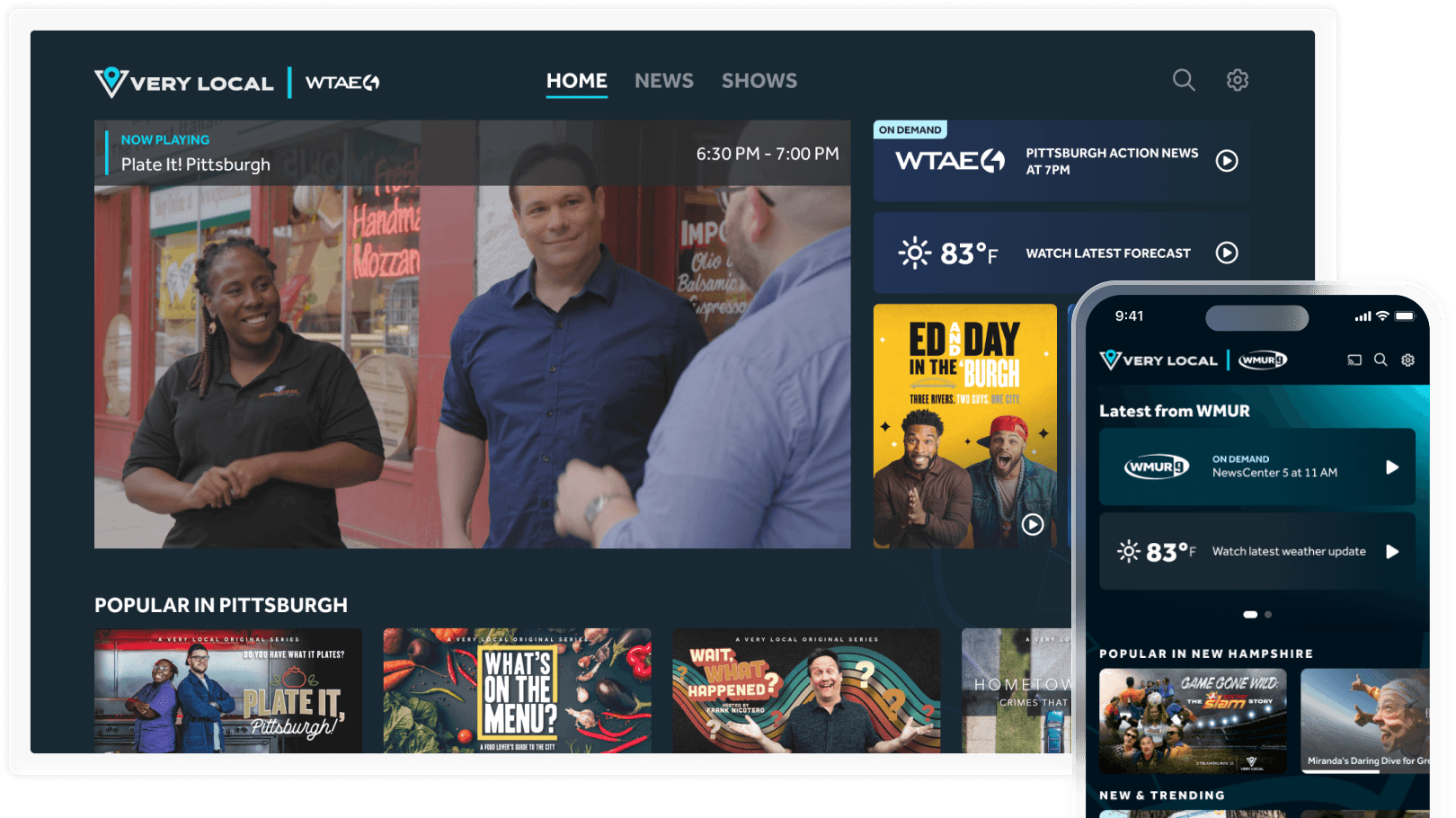
Very Local delivers hyperlocal shows, weather, and news across dozens of U.S. markets. As the content library expanded, the interface began to feel dated and disjointed.
Content discovery was limited, key features were buried, and engagement plateaued.
The challenge was to refresh the platform’s entire visual and interaction design while creating a consistent experience across devices, from living room TVs to mobile screens.
The opportunity
Viewers struggled to find the content they cared about, and the experience no longer met modern streaming expectations.
While Very Local offered unique local stories and live updates, its interface made discovery difficult. Navigation felt out of step with modern streaming patterns, and the visual design lacked the polish users expected.
The opportunity was to rebuild Very Local into a modern, intuitive experience that prioritized discoverability, consistency, and ease of use.

What I did
Over eleven months, I led the end-to-end design effort for both TV and mobile platforms, defining new layouts, improving navigation, and aligning teams across product and development.
Design & research process
1
Research
Reviewed analytics, app store feedback, and conducted user tests to uncover friction points and identify opportunities to simplify navigation and improve content visibility.
2
Redesign
Rebuilt layouts around clarity and consistency, elevating key content types like news and weather while streamlining the overall flow for browsing and playback.
3
Validate
Ran user tests in multiple markets to confirm that users could find and watch content faster and that the interface felt more aligned with familiar streaming patterns.
4
Handoff
Delivered clear Figma specs and documentation so developers could implement quickly and consistently across devices.
These improvements formed the foundation for a consistent, future-ready experience across both platforms.
Results
Outcomes

Process & Artifacts
Initial research
Each decision was shaped by real user feedback, analytics, and heatmaps. The goal was to improve usability without disrupting familiar behaviors.
Findings
1
Users valued the autoplay video.
The autoplay feature contributed the highest watch minutes and remained central to how viewers interacted with the app.
Opportunity
Encourage deeper exploration beyond the autoplay state while keeping it front and center as a familiar entry point for users.
Source: Heatmaps, UserTesting
2
News and weather were top priorities.
These sections drove the most traffic and ad revenue, but users struggled to access them quickly. Many expected real-time updates to appear immediately upon opening the app.
Opportunity
Increase visibility of news and weather content on the home screen to highlight high-value, revenue-driving content.
Source: Heatmaps, feedback surveys
3
Content was difficult to find.
Users found it hard to locate shows they had previously started, and the search results prioritized news clips over show episodes.
Opportunity
Improve search and browsing by grouping results by category and introducing dedicated “Continue Watching” and “Recommended” belts.
Source: Feedback surveys, UserTesting, app reviews
4
Original show pages lacked clarity and organization.
The existing show pages mixed episodes, trailers, and seasons into a single belt, making it unclear what users had already watched.
Opportunity
Redesign the show pages with clearer hierarchy, including season groupings, watch buttons, and descriptions for better context and continuity.
Source: Feedback surveys, UserTesting
Original and final design comparisons
Home
Original Screenshots
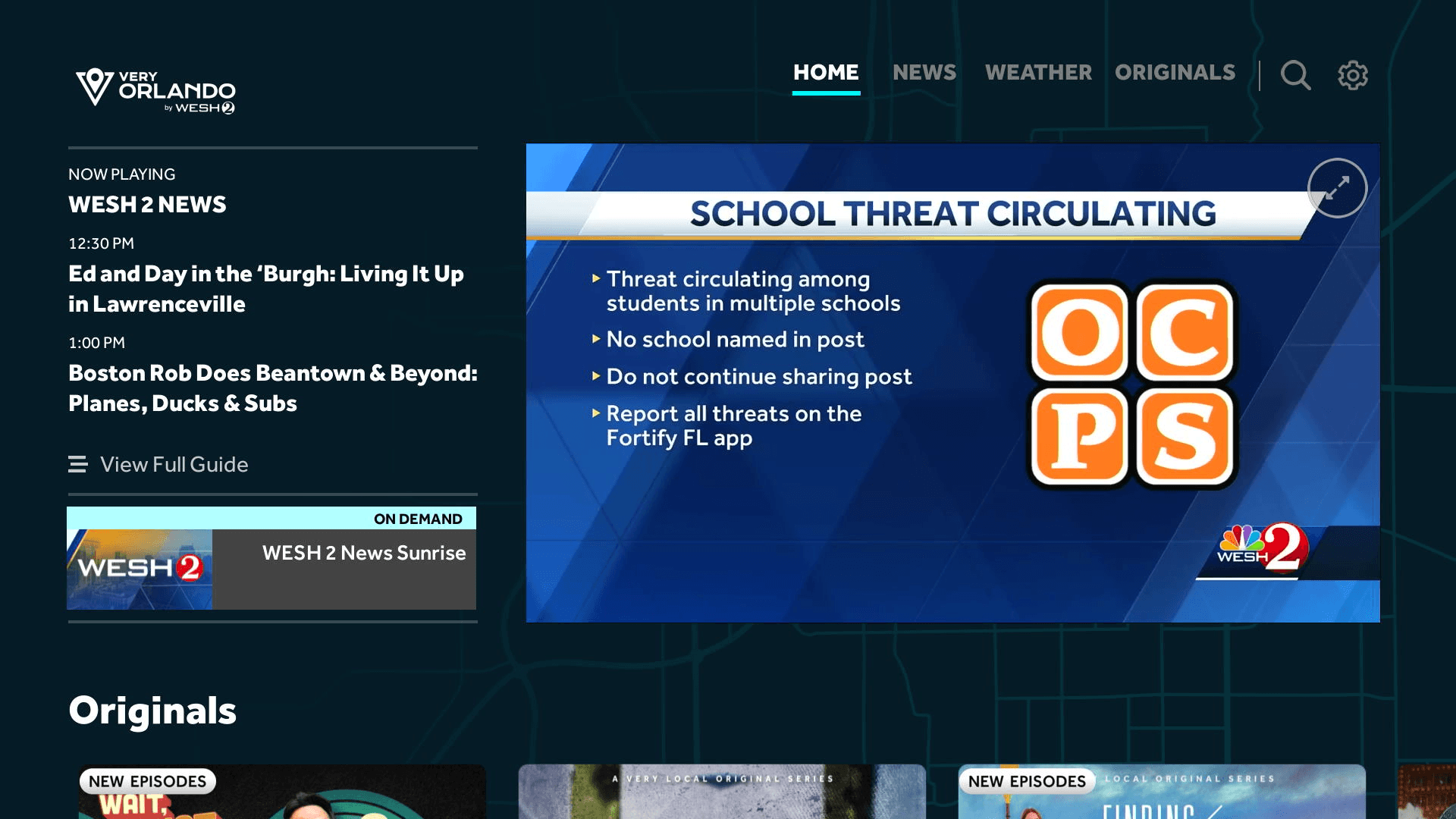
Default view
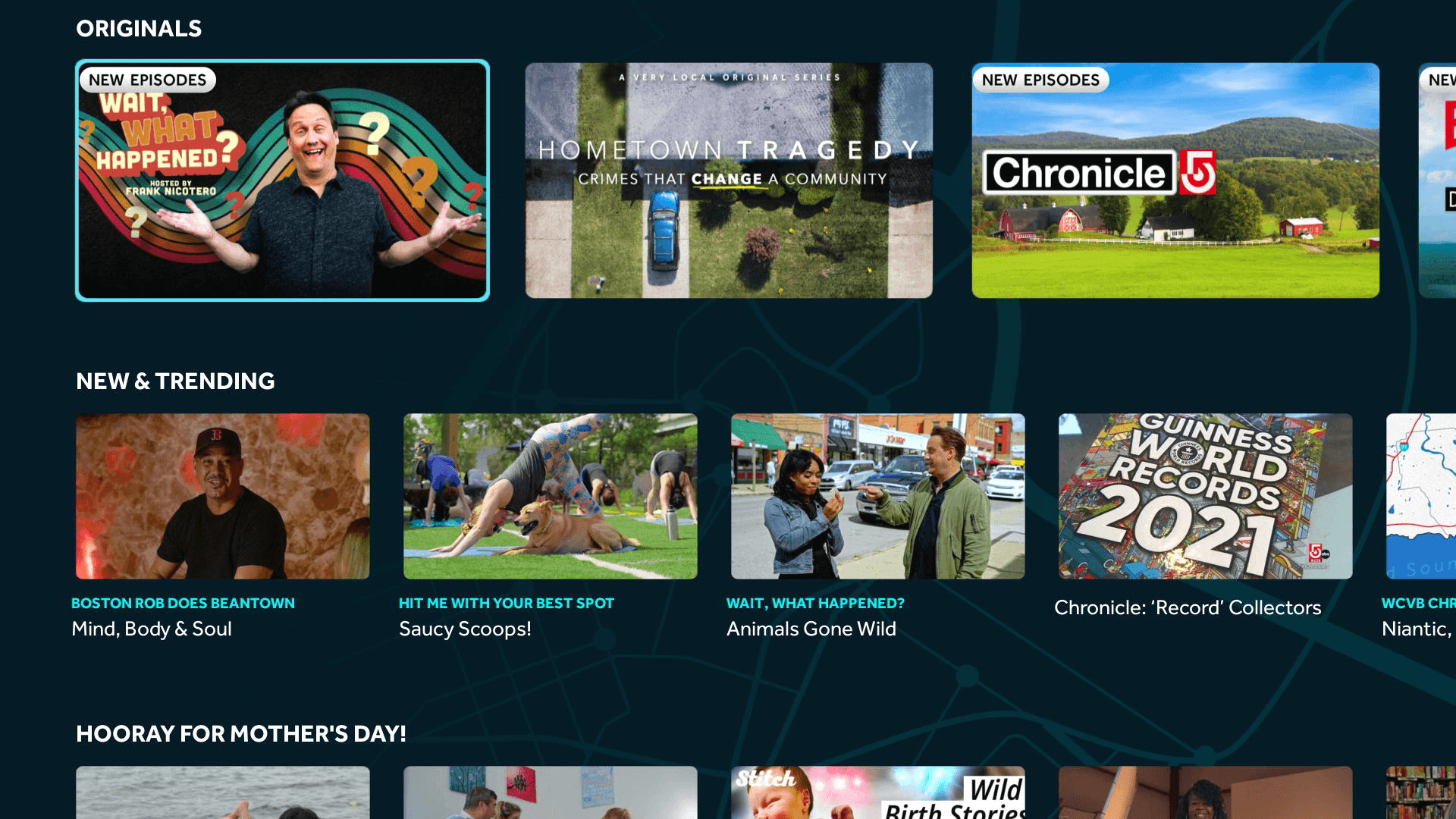
On scroll
Refreshed Design
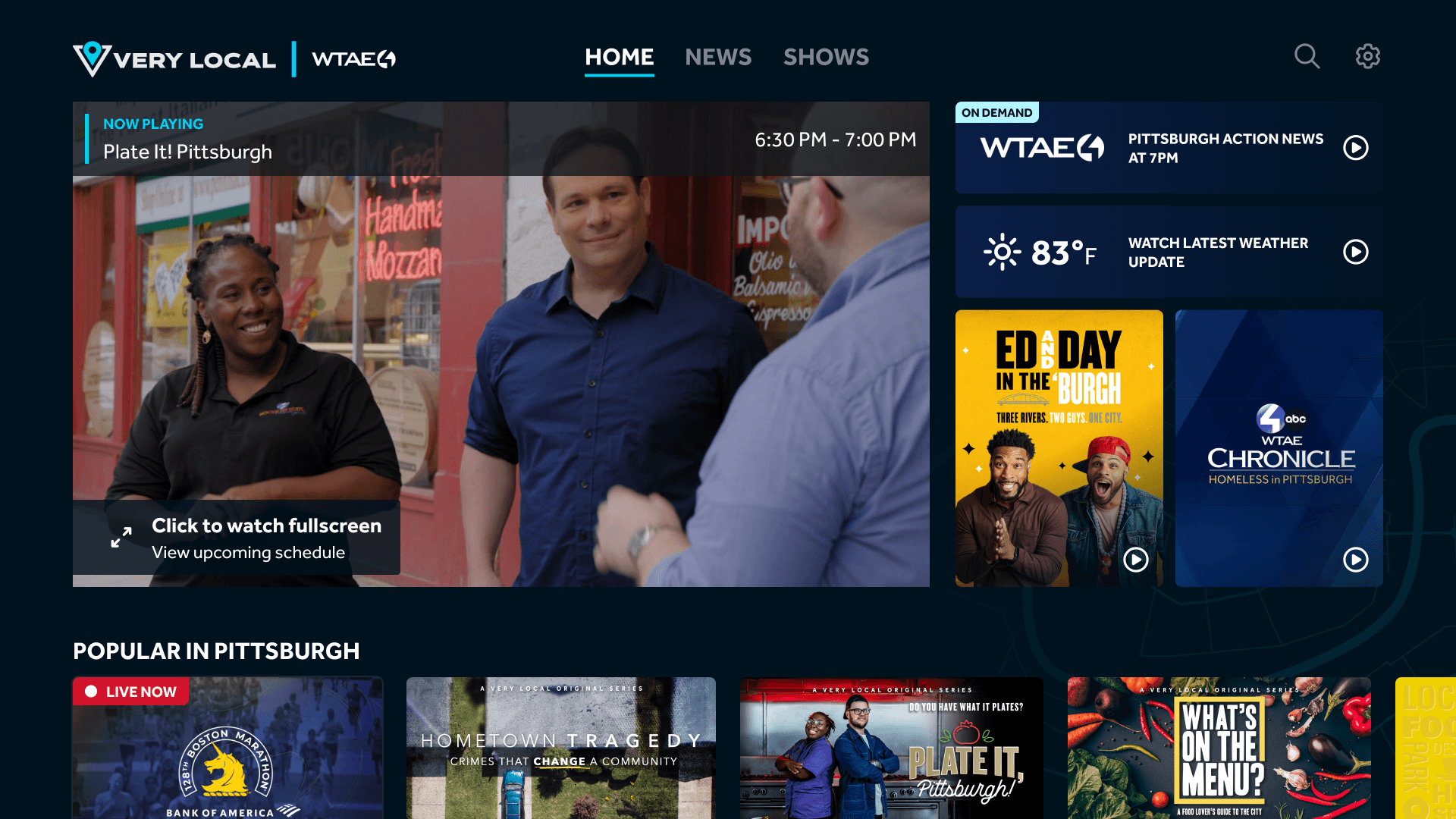
Default view
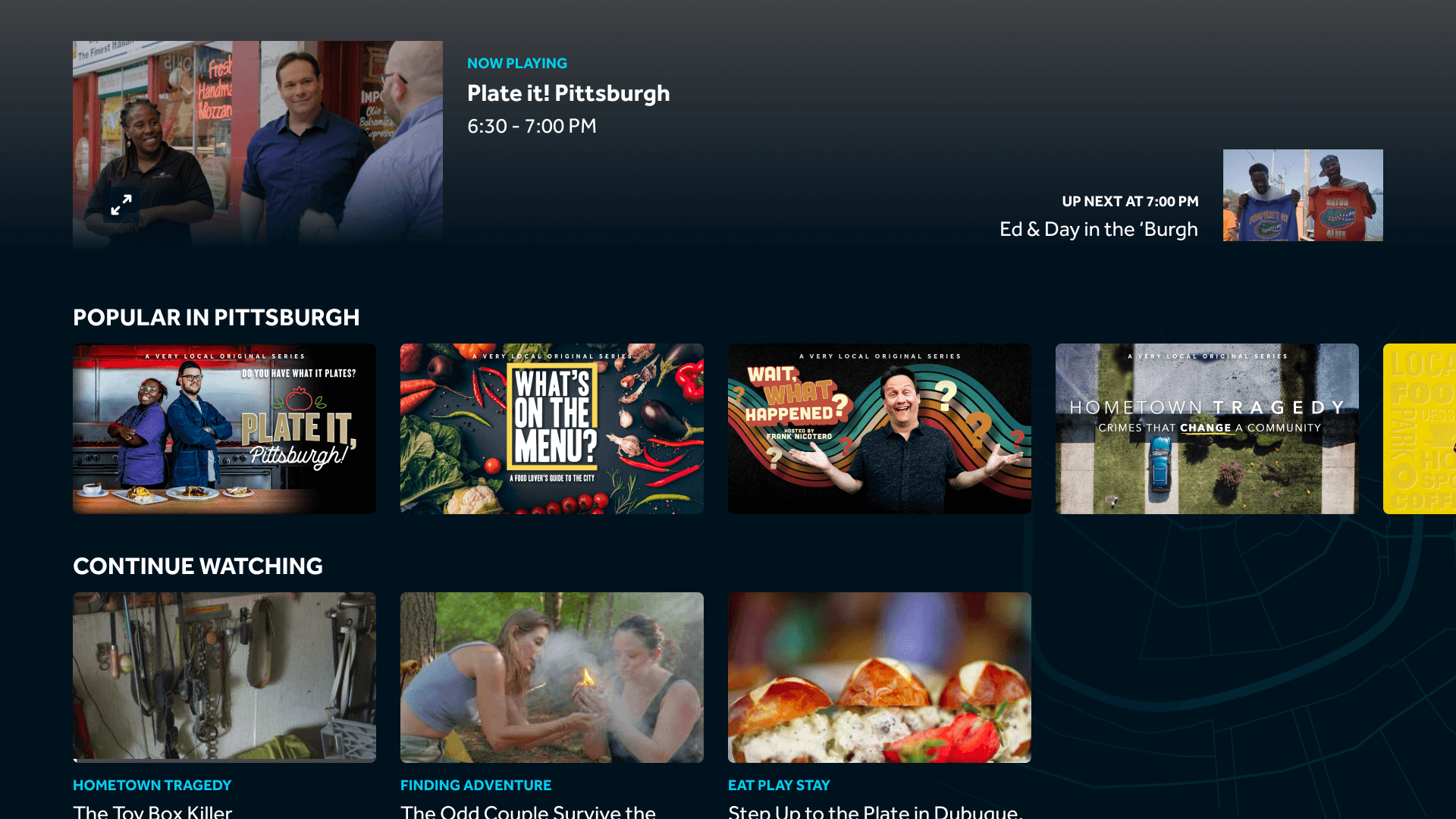
On scroll
Changes
Floating video display on scroll kept playback visible while browsing.
“Continue Watching” was elevated higher on the home page for quick return access.
News and weather highlights were added directly to the home screen to boost engagement.
News & Weather
Original Screenshots
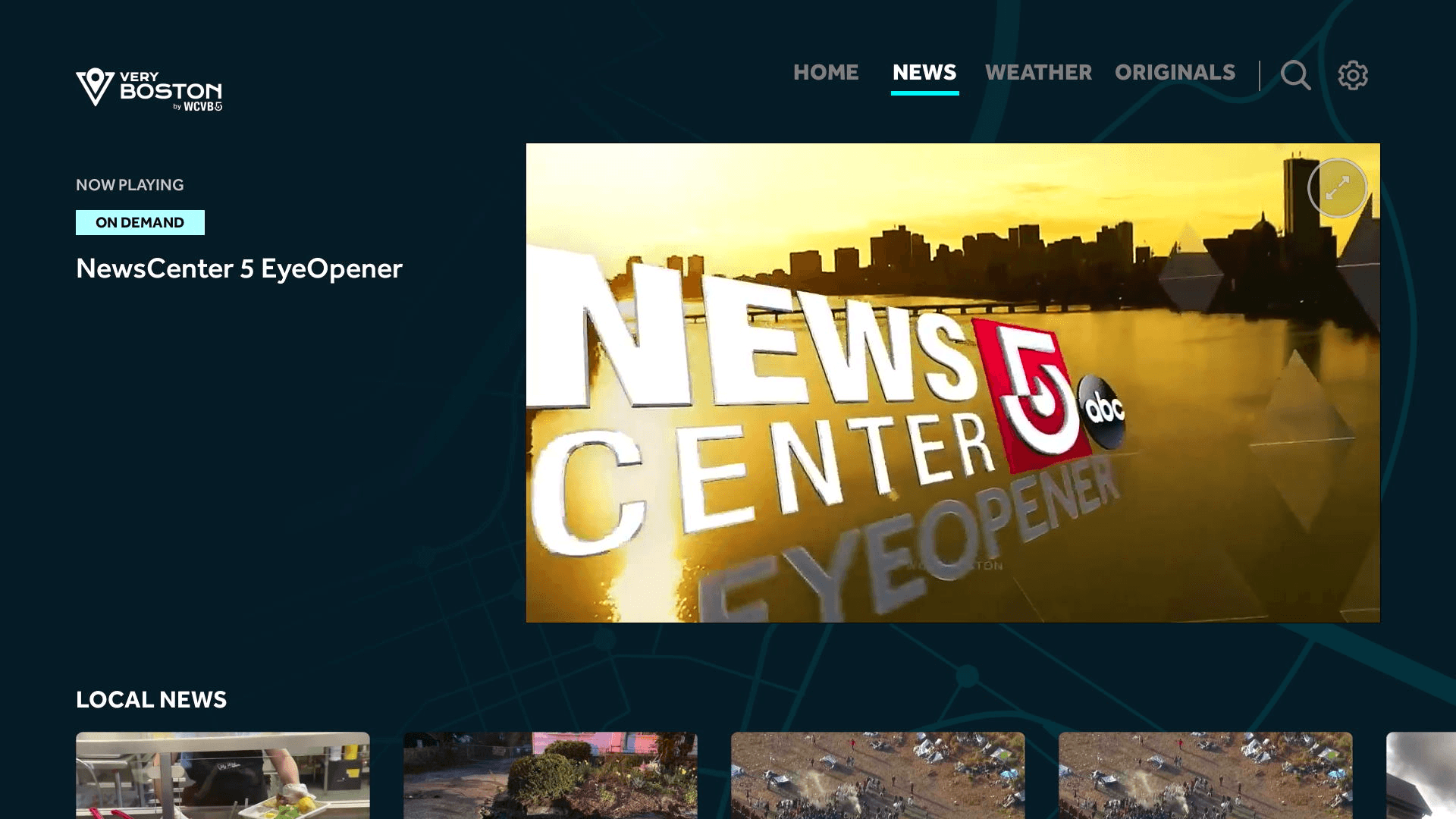
News
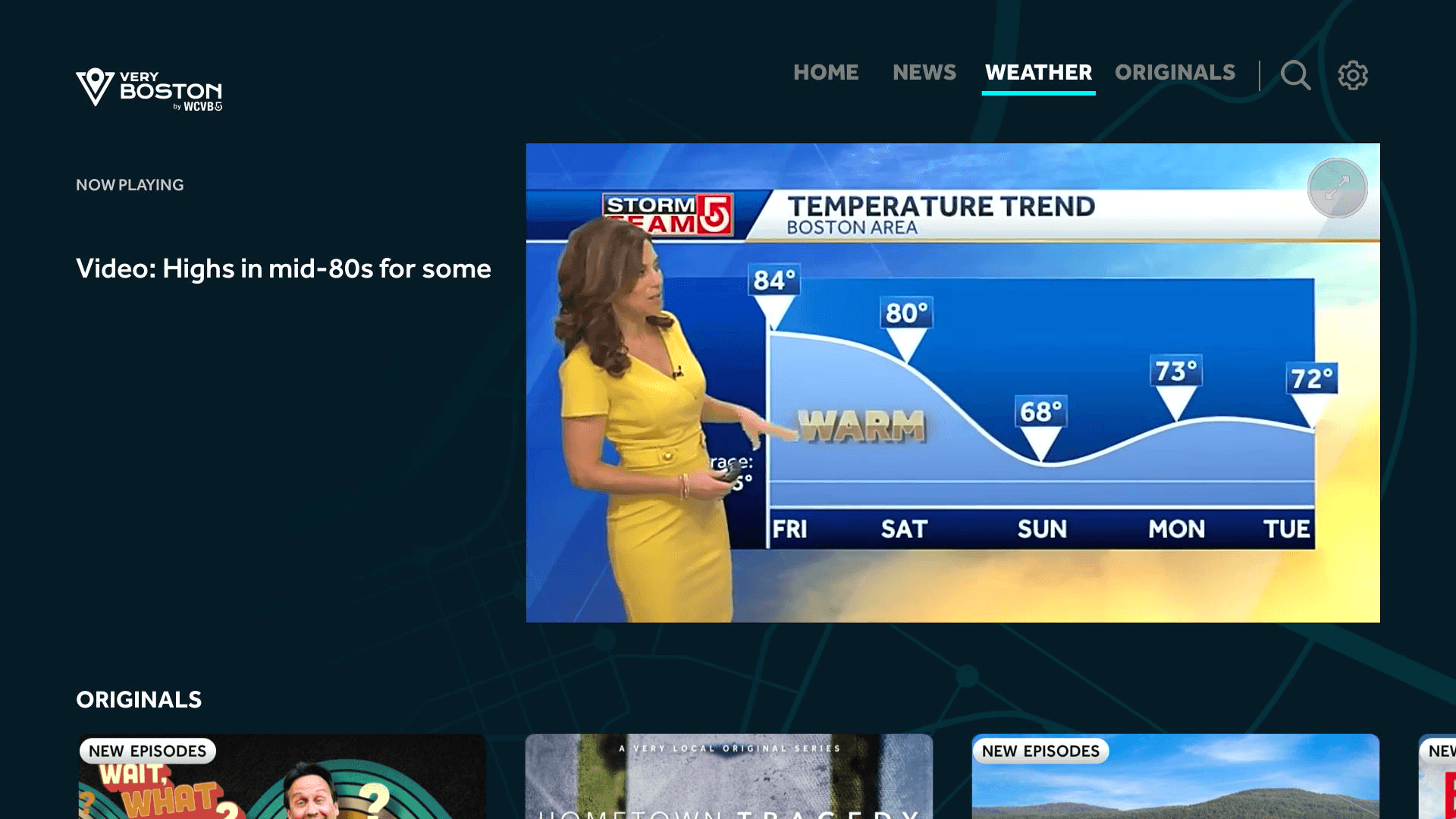
Weather
Refreshed Design
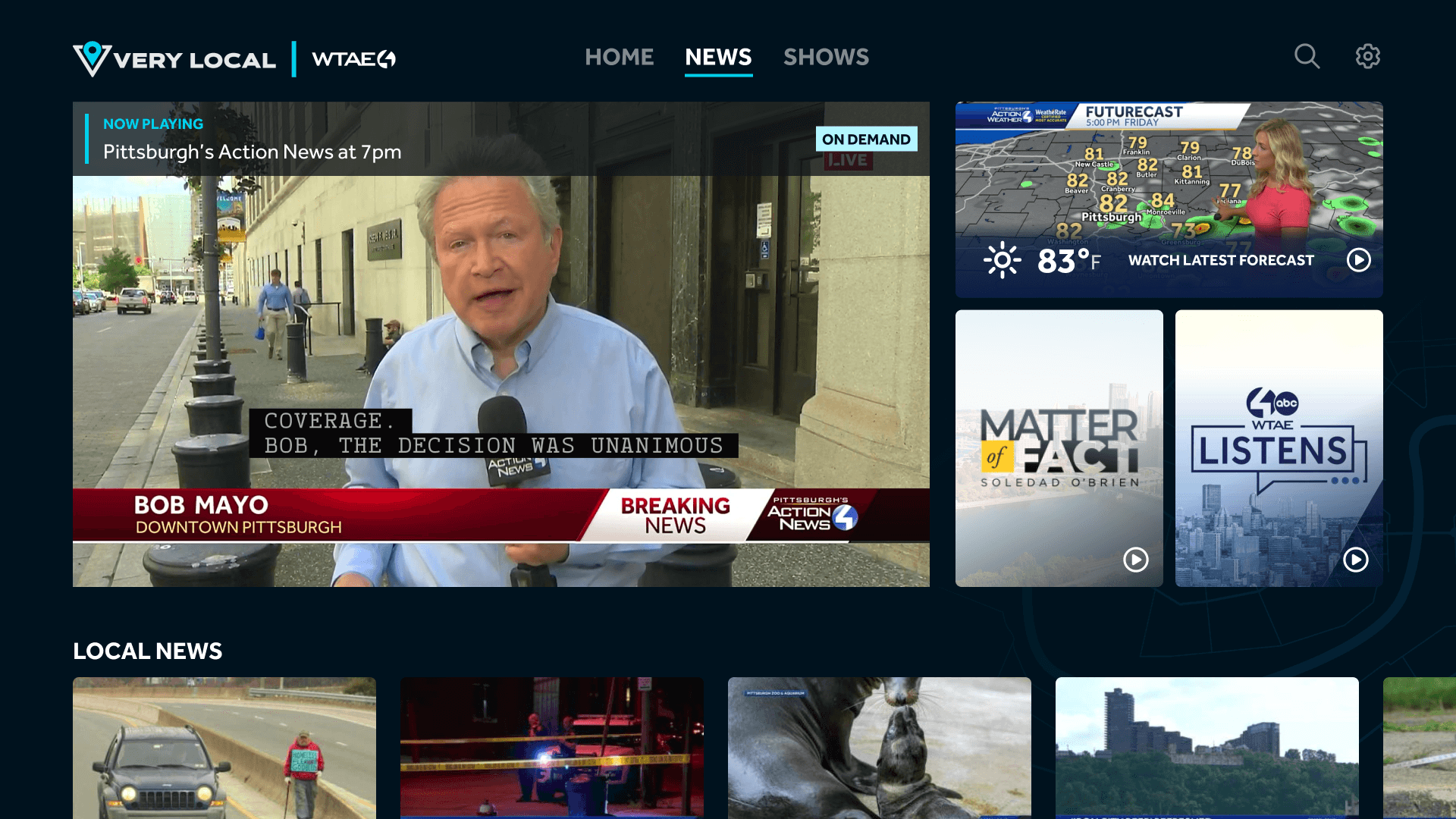
Changes
Merged news and weather into a single view with a live forecast card for at-a-glance updates.
Increased prominence for each station’s local shows, improving visibility and ad performance.
Search
Original Screenshots
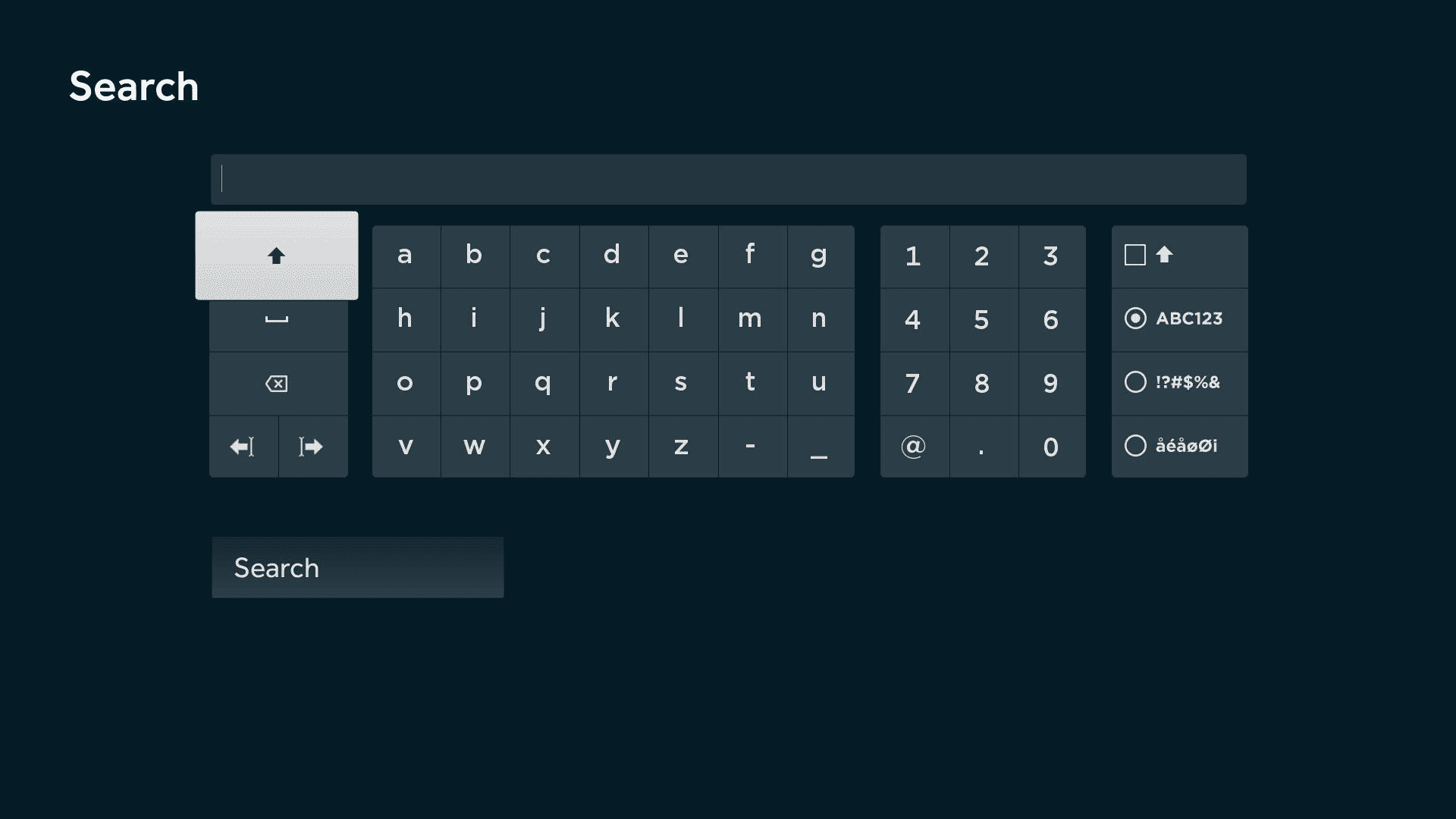
Default
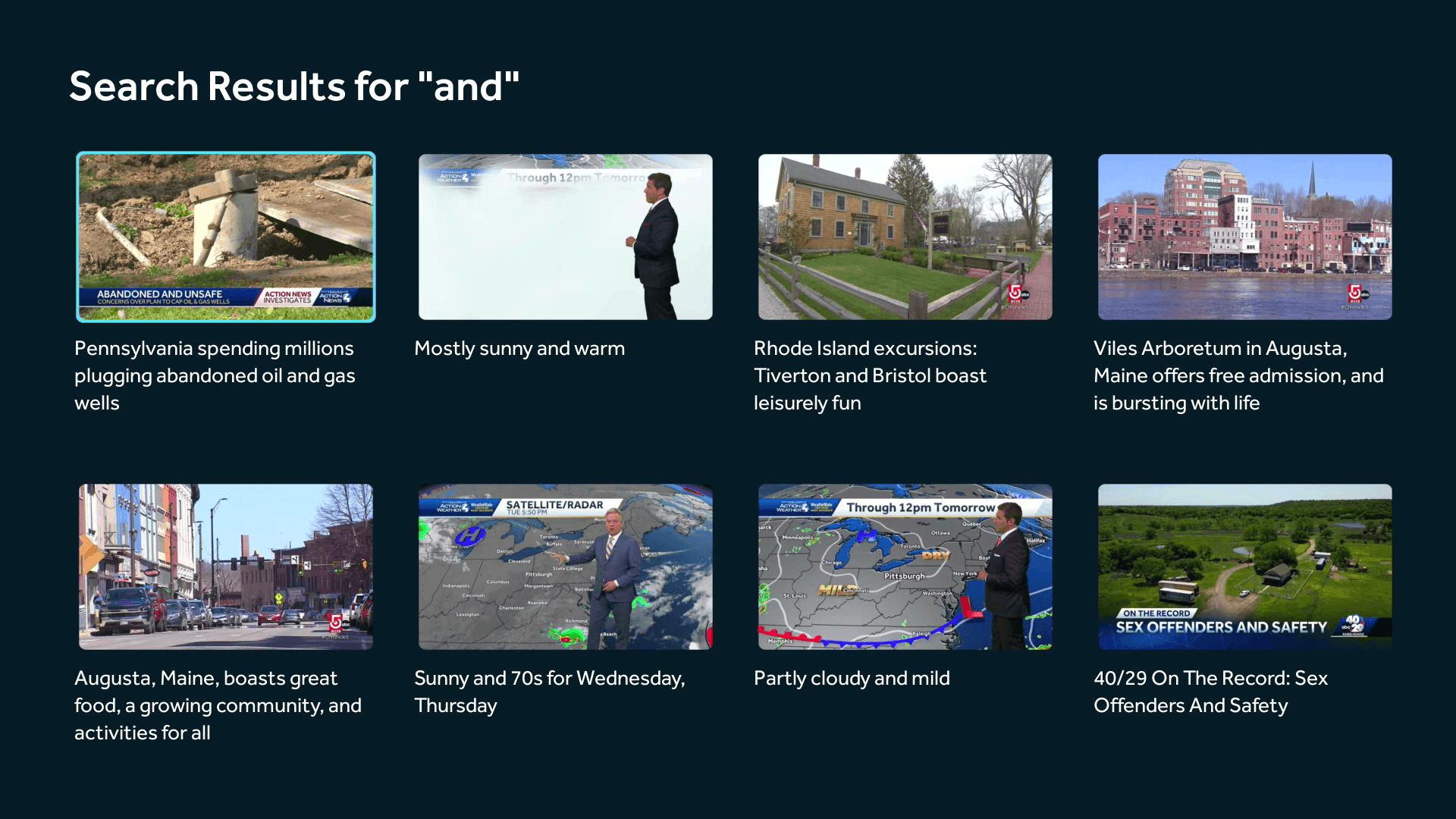
After pressing "Search" button
Refreshed Design
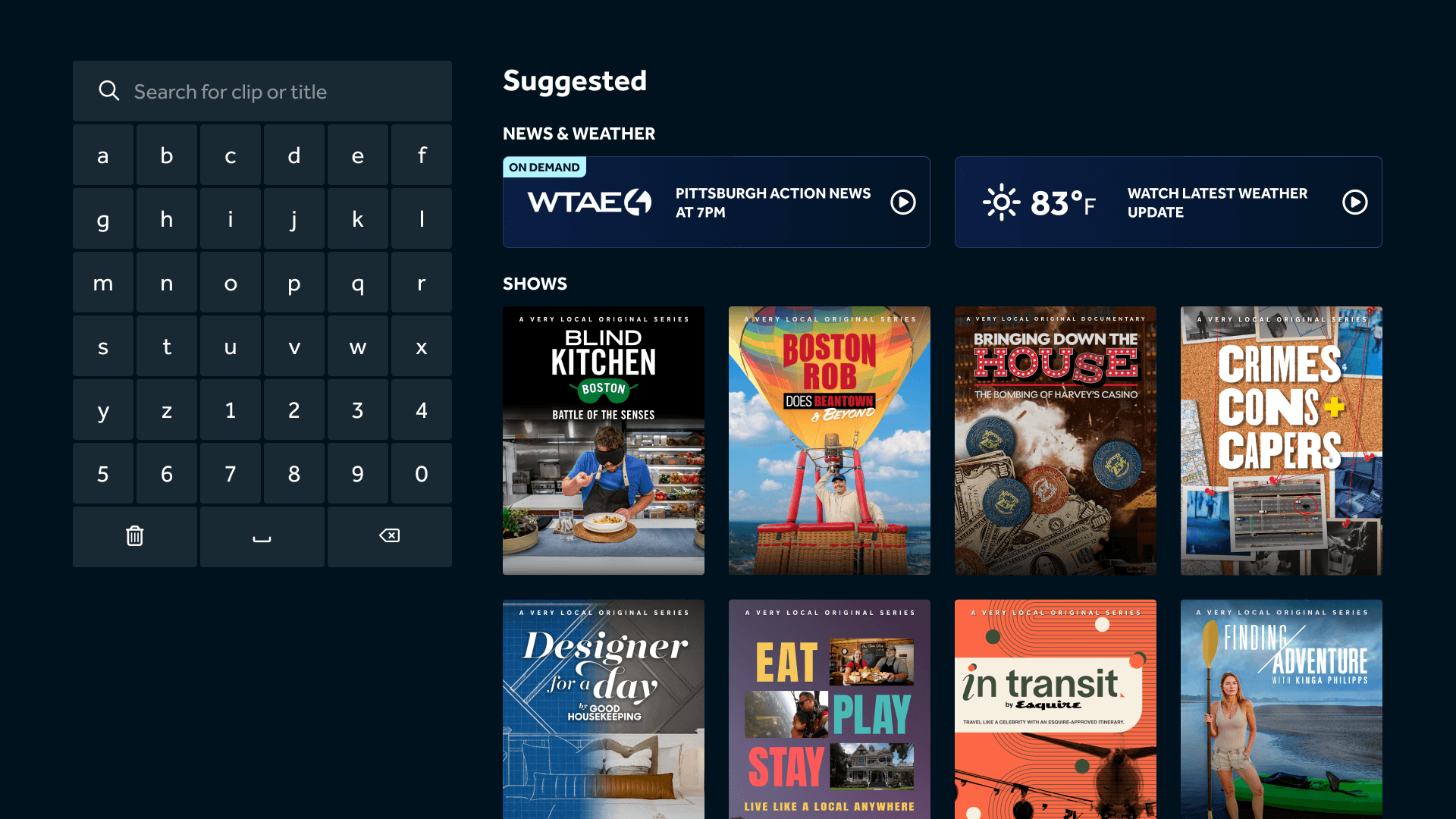
Default
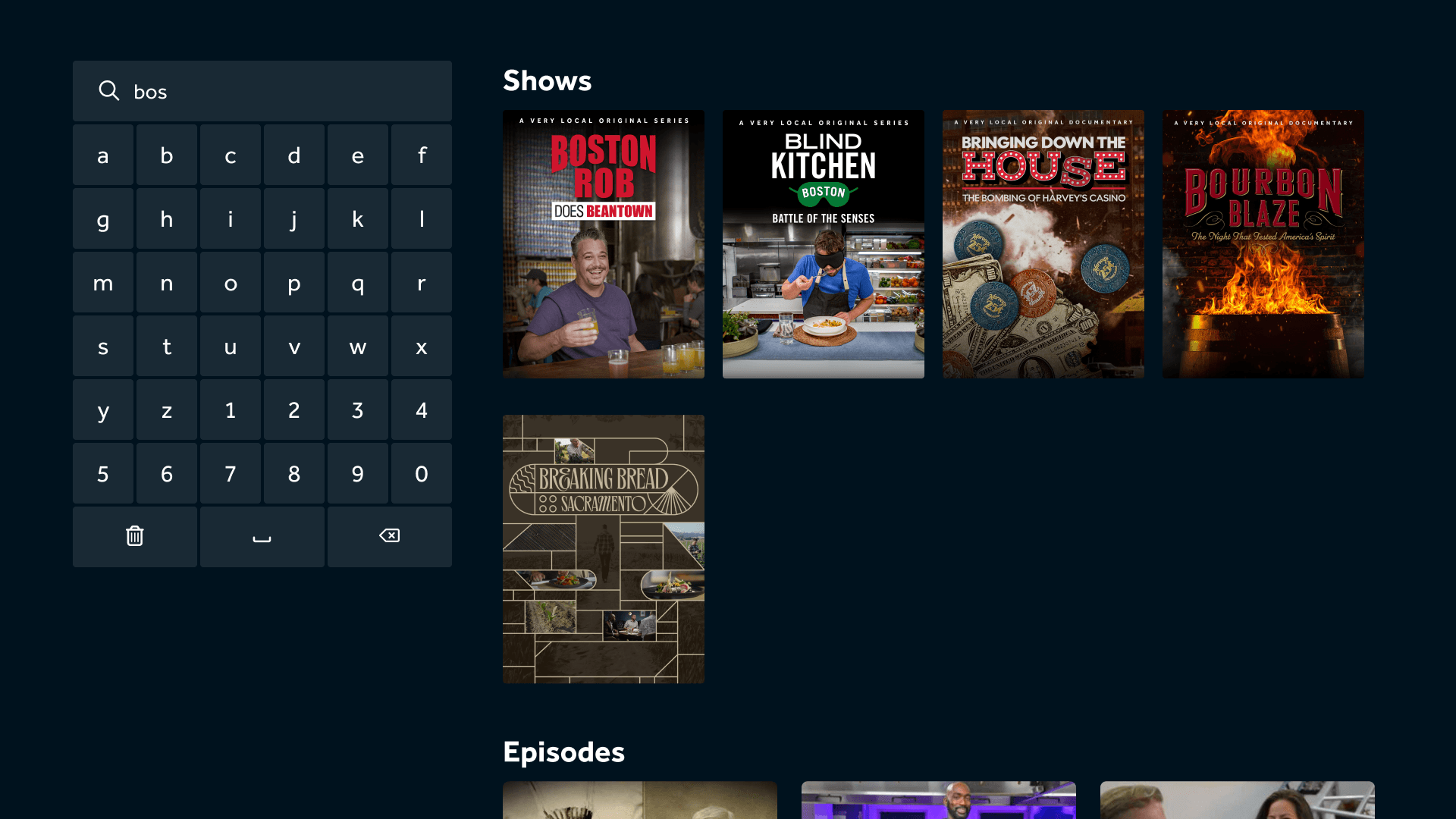
After 3+ characters are inputted
Changes
Reduced the on-screen keyboard size to reveal suggested shows, news, and weather while typing.
Sorted results by content type to help users locate what they wanted faster.
Show Page
Original Screenshots
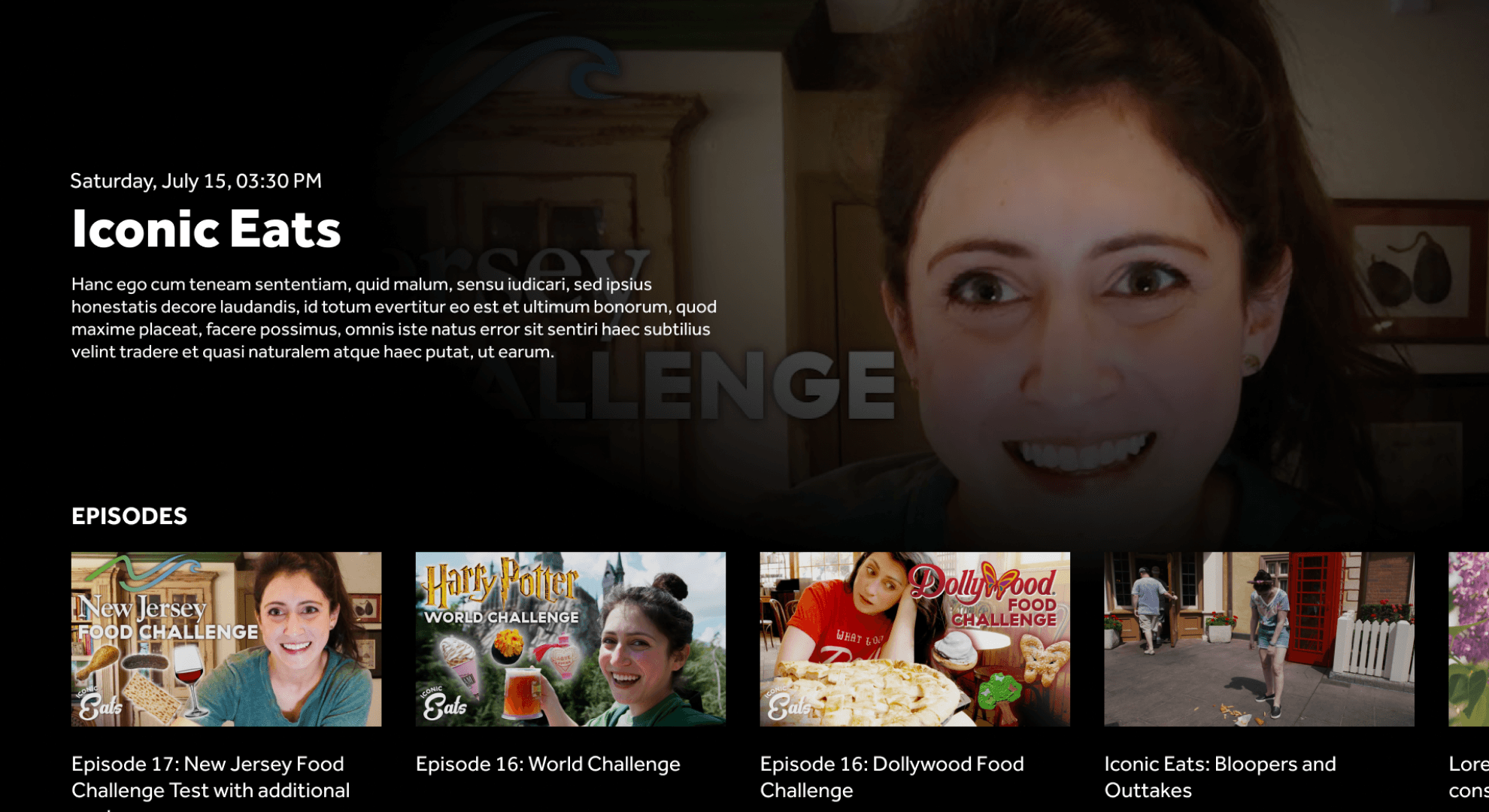
Default
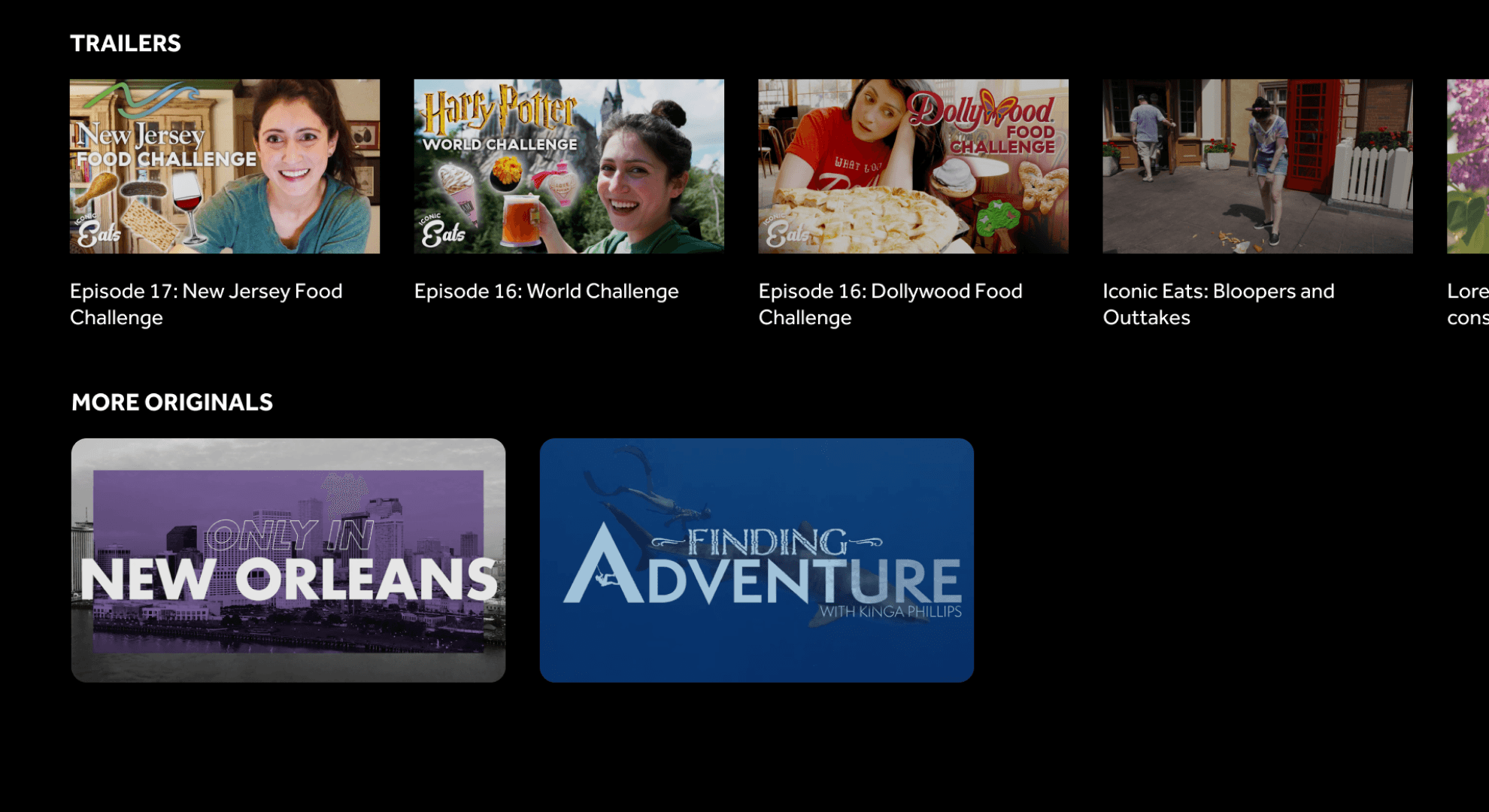
On scroll
Refreshed Design
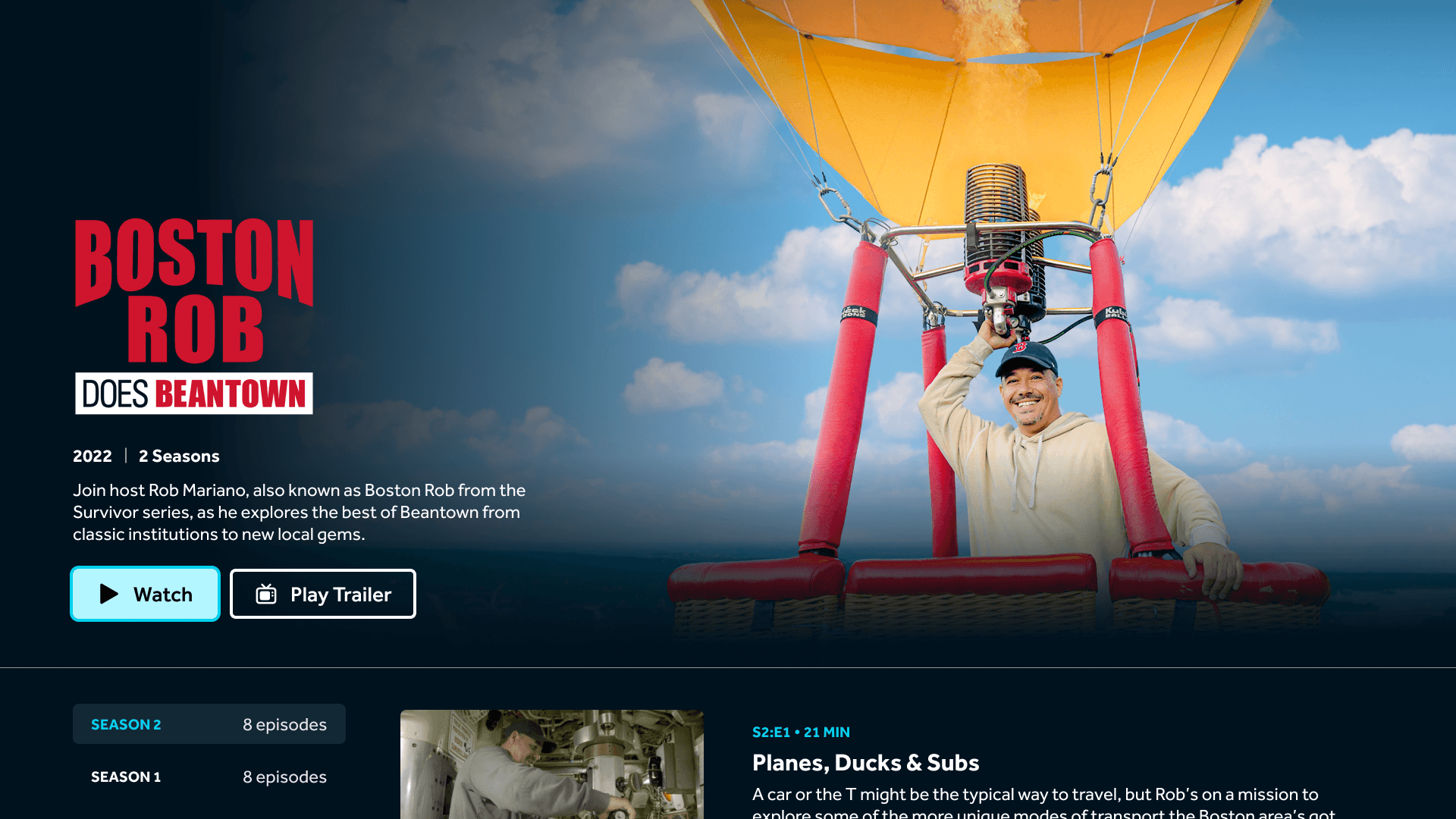
Default
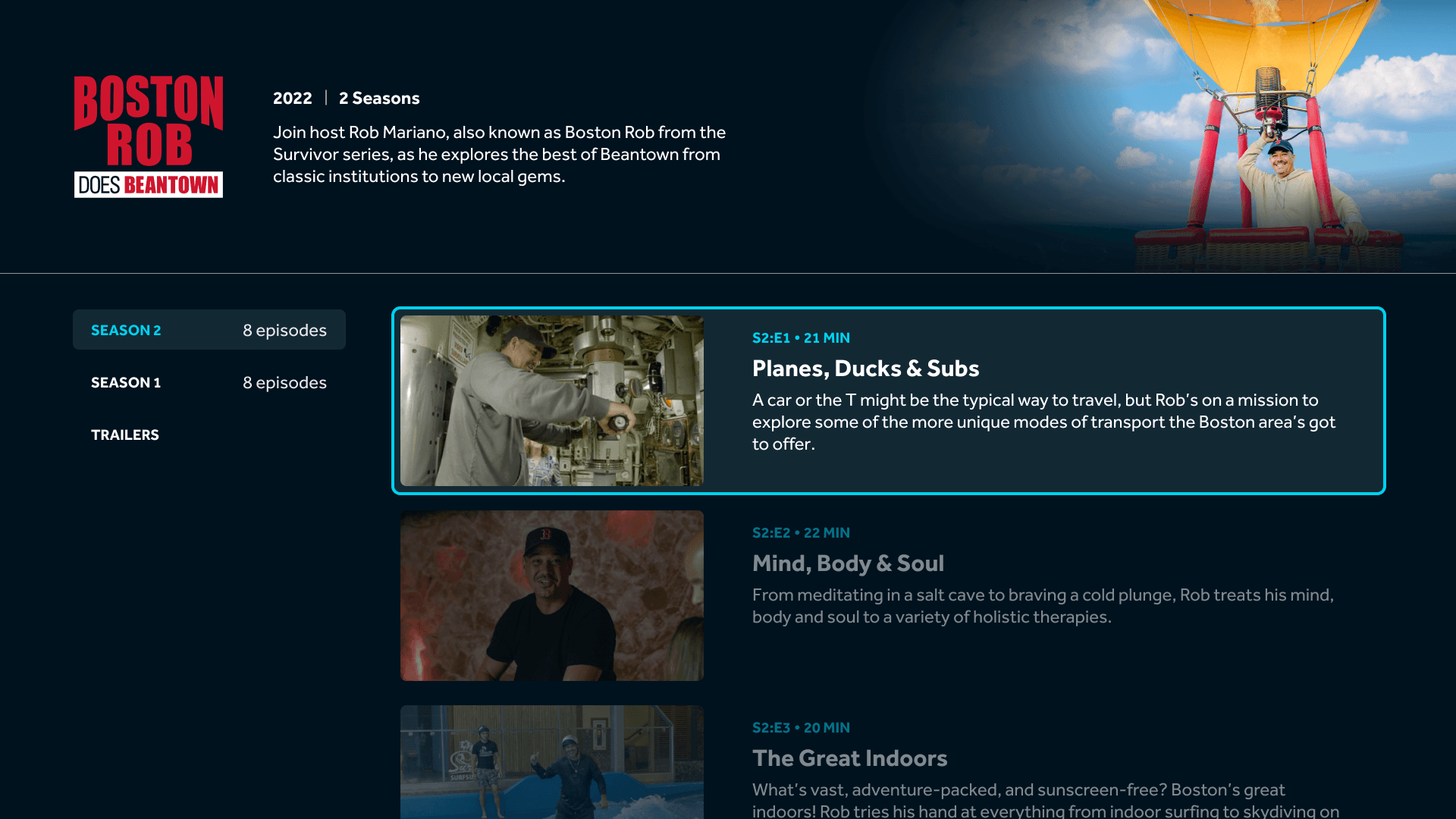
On scroll
Changes
Organized episodes by season for easier browsing.
Added “Watch” and “Play Trailer” buttons, adapting automatically for returning versus new users.
Included episode descriptions to set clearer expectations.
Mobile designs
Original screenshots
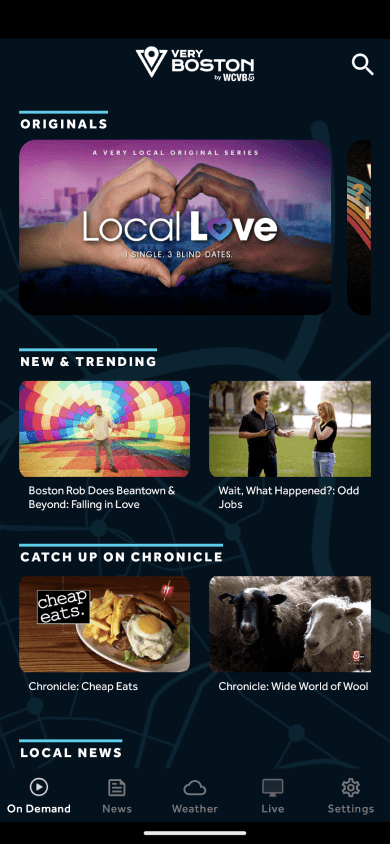
Home
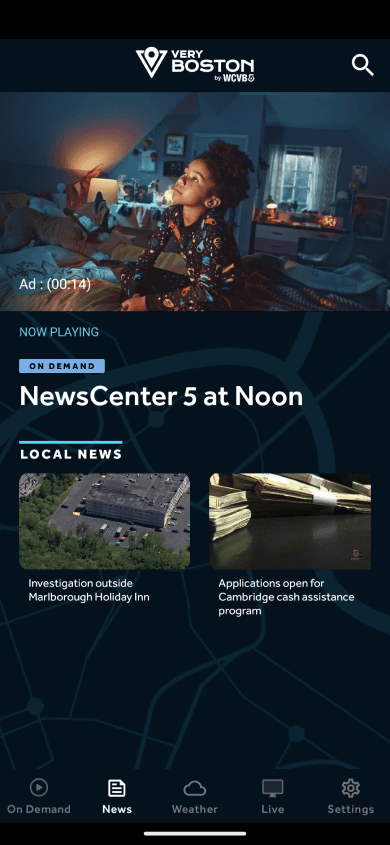
News
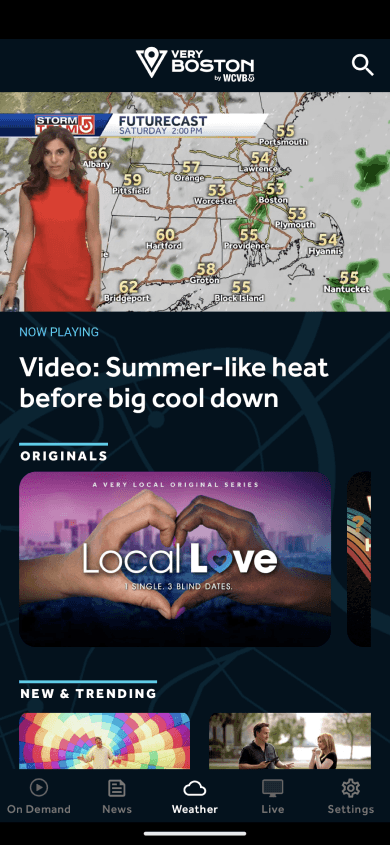
Weather
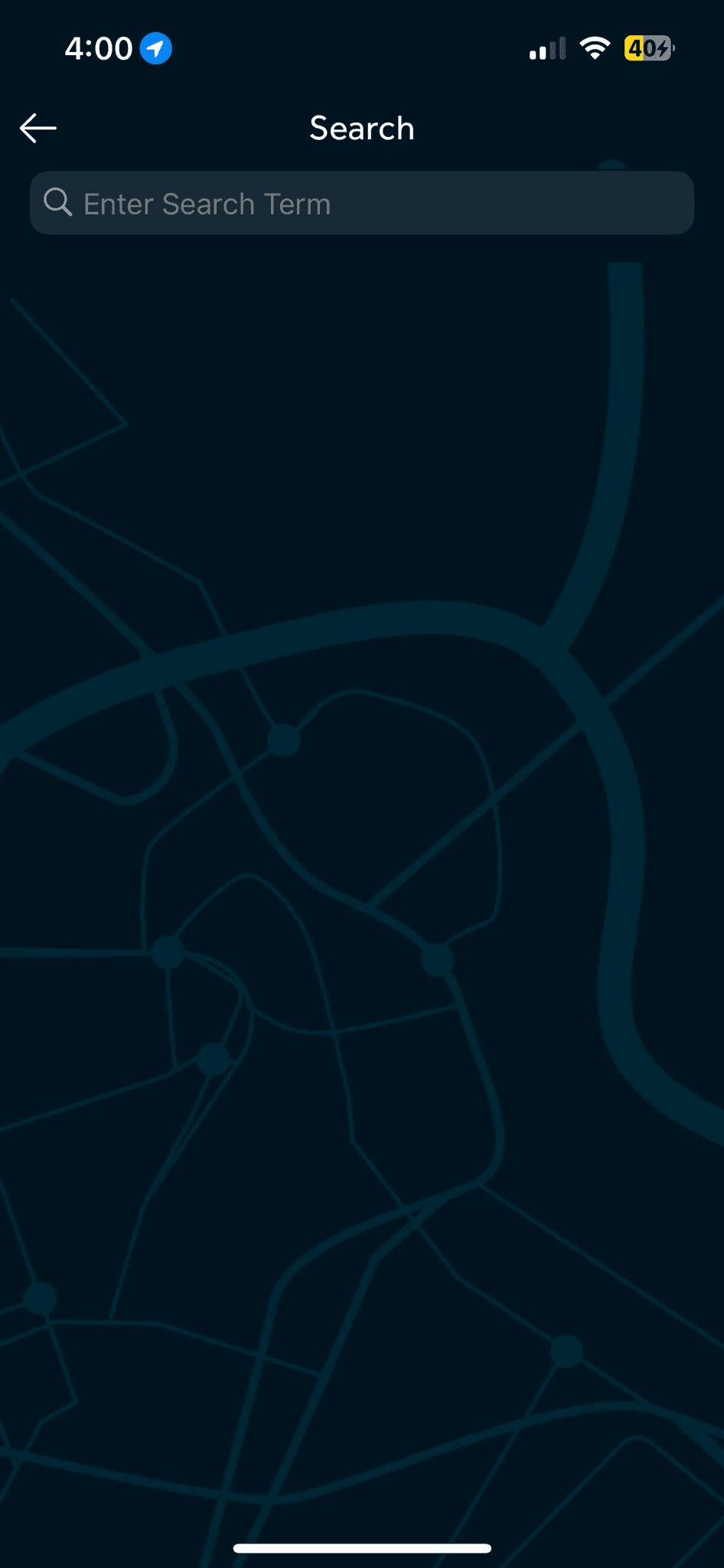
Search

Shows
Refreshed Design
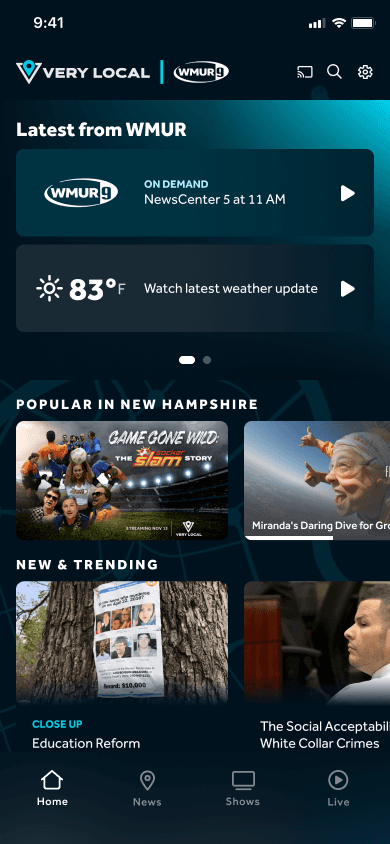
Home
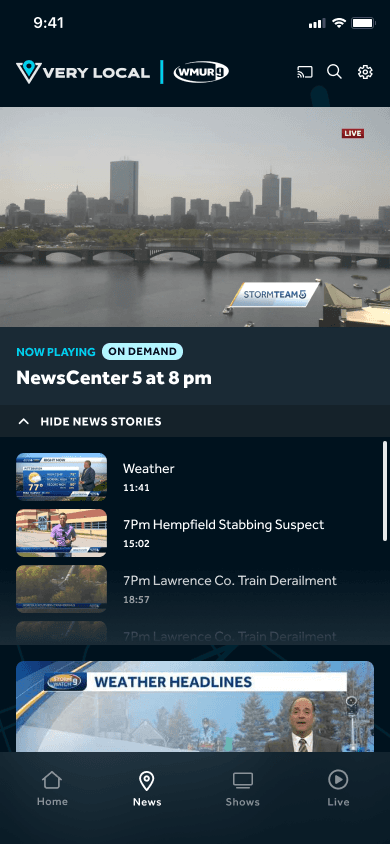
News/Weather
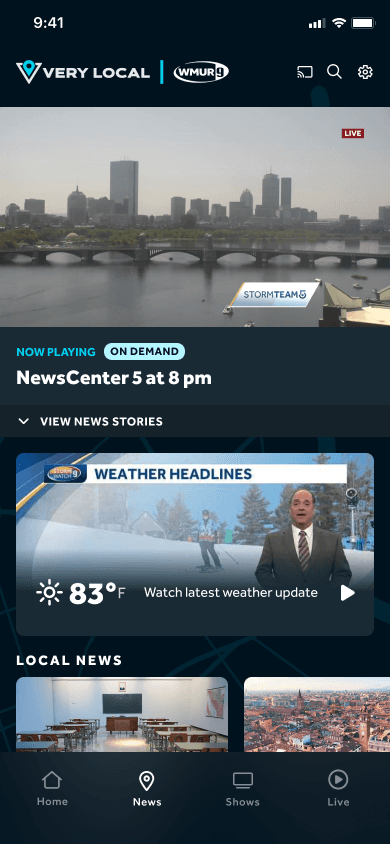
News/Weather
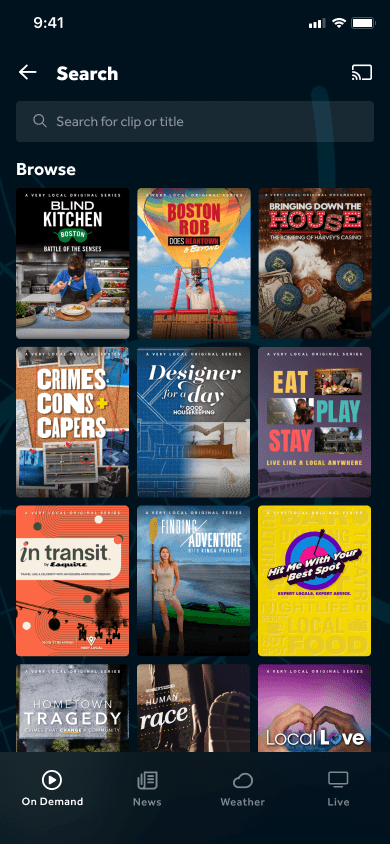
Search
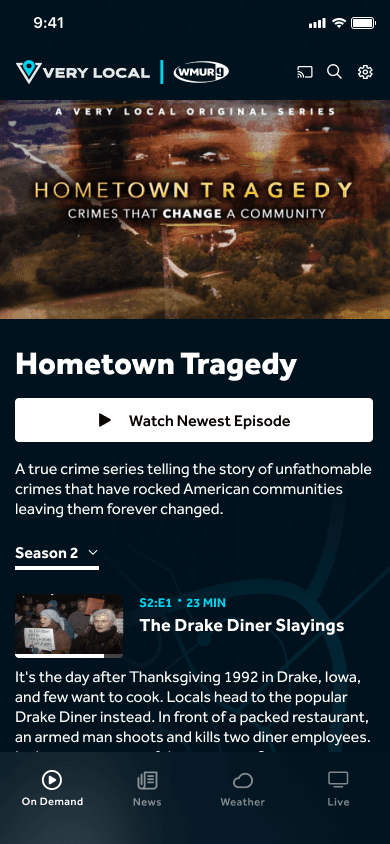
Shows
Changes
Aligned mobile layouts with OTT and CTV for consistency.
Added a home carousel for alerts, top stories, and weather updates.
Introduced expandable sections for On Demand episodes and clips.
Adjusted typography and spacing for readability and hierarchy.
Design validation
Before launch, I ran validation sessions with users across five major markets. These included remote walkthroughs, survey-based A/B testing, and usability studies focused on clarity, navigation, and discoverability.
Findings
Users reached local news and weather faster and described the interface as modern, polished, and easy to use.
Testing showed a 15 percent increase in users exploring more content below the autoplay section.
Refinements
Adjusted text hierarchy and contrast for better readability from typical viewing distances.
Reorganized belts and navigation to improve content findability and flow.
These validation rounds confirmed that the redesign not only felt more current but also created a smoother, more intuitive experience for both TV and mobile users.
Developer handoff
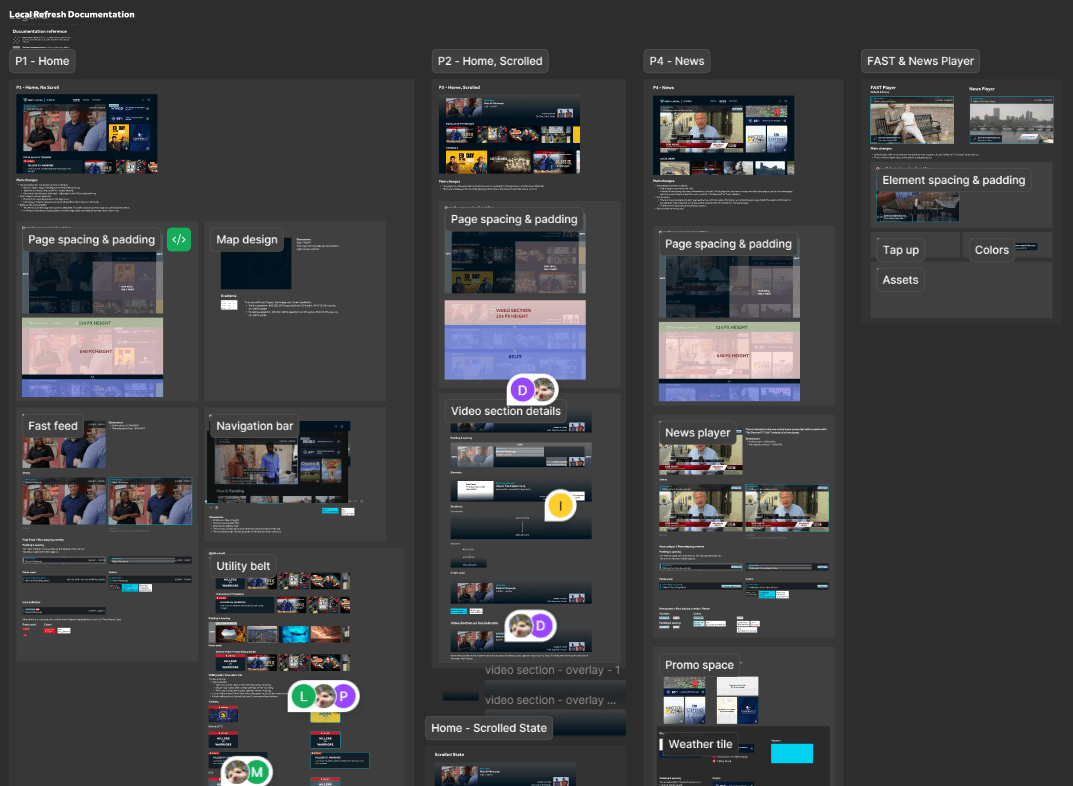
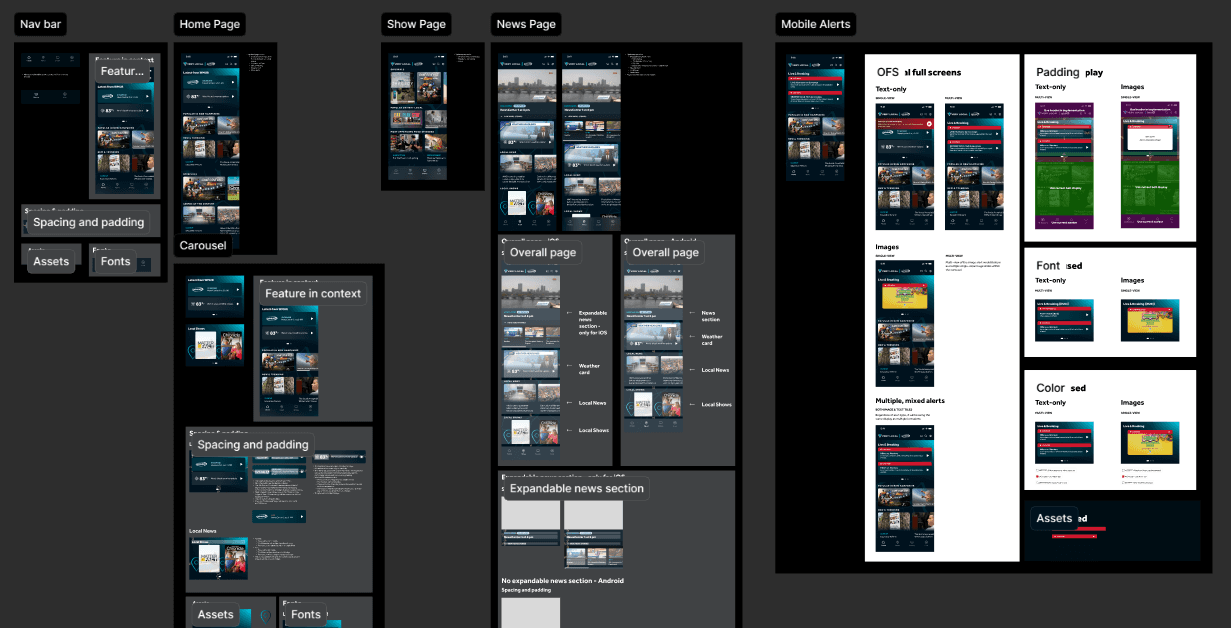
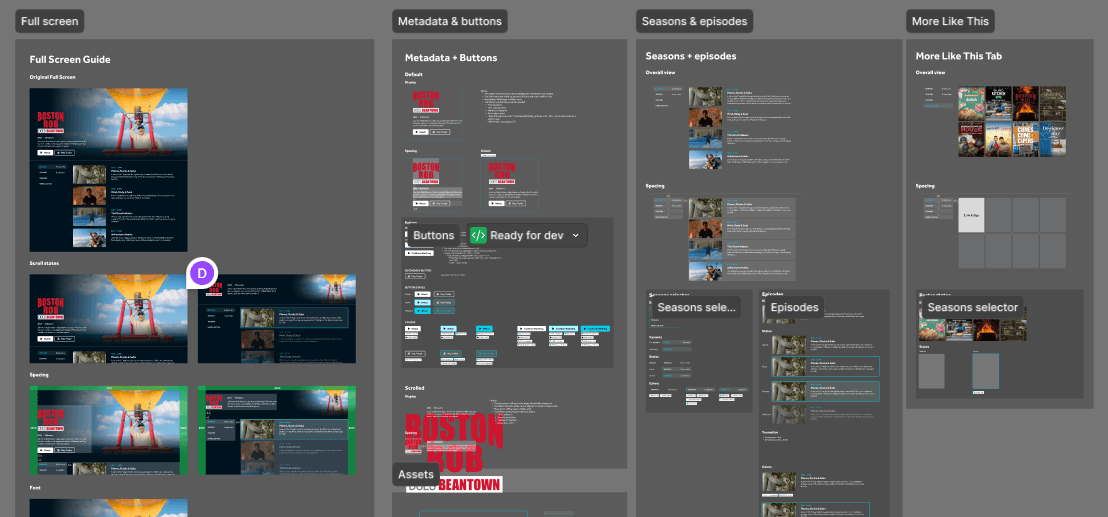
I created detailed Figma documentation outlining every component, state, and spacing rule across OTT, CTV, and mobile. Regular sprint reviews and QA sessions ensured alignment between design intent and implementation.
Deliverables included
Unified component library with clear behavior rules for navigation, playback, and content belts.
Platform-specific specs for Roku, Fire TV, Android TV, and mobile.
Biweekly reviews with developers to align on visuals and catch issues early.
Final QA checklists to ensure accessibility and motion parity across platforms.
Included below are some examples of the specs sheets I created for this effort.
Sample Spec Sheets
Conclusion
The redesign of the Very Local TV and mobile apps showed that small visual and structural changes can create meaningful user impact. By modernizing the interface and unifying the platform experience, we helped Very Local viewers spend less time searching and more time discovering stories that connect them to where they live.
More projects