Mortar Design System
Revising the design system used by hundreds of designers and developers at Apartments.com.
CoStar
Design System
Background
Problem overview
A design system that had stopped serving its users.
Apartments.com’s Mortar design system had once been the foundation for consistent, efficient product development. But as the product grew, Mortar lagged behind. Its documentation lived on InVision DSM even though teams had already moved to Figma. Developers were copying outdated code or rebuilding components from scratch. Designers were breaking patterns to make things work.
The system that was meant to bring everyone together had become a source of friction.
Identified issues
1
Outdated hosting sites
Mortar’s documentation lived on InVision’s Design System Manager, even though the team had already transitioned to Figma. Designers were constantly switching platforms just to look up outdated information.
2
Hard-to-find coded components
Only a few developers knew where the Storybook components lived. Most copied code from older pages or rebuilt components from scratch, which caused inconsistent design implementation.
3
Design and code drifting apart
Designers broke components out of necessity to fit modern layouts, while developers hard-coded their own adjustments. Over time, design and engineering fell out of sync.
The Opportunity
A design system should support people, not hinder them.
Through open conversations with designers and engineers, we discovered that the issue wasn’t process but alignment.
Designers couldn’t depend on old components. Developers couldn’t trust documentation. Everyone needed a version of Mortar that reflected how Apartments.com actually worked today.

What I did
Over a five-month period, I led the Mortar refresh alongside one designer and three front-end developers. Together, we rebuilt the foundation, simplified workflows, and made Mortar easier to use and maintain.
Focus areas
1
Rebuild
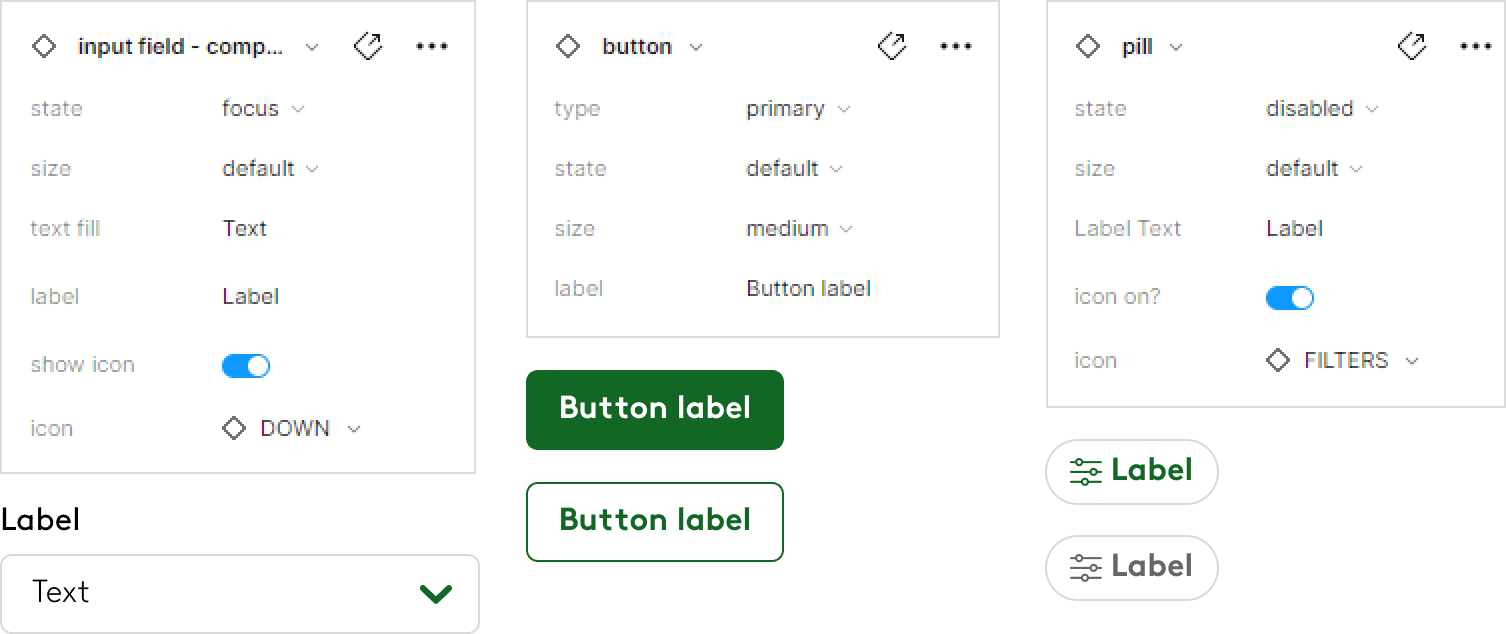
Reconstructed the entire Figma library using Auto Layout and Component Properties for predictable, scalable behavior.
2
Improve accessibility
Refined color contrast, focus states, and text hierarchies to meet WCAG standards and improve readability.
3
Migrate documentation
Moved Mortar’s documentation from InVision DSM to Figma, creating a single, maintainable source of truth.
4
Collaborate
Hosted weekly design system syncs with developers to align on component behavior, naming, and versioning.
Results
Outcomes

Details
Fixing what was broken
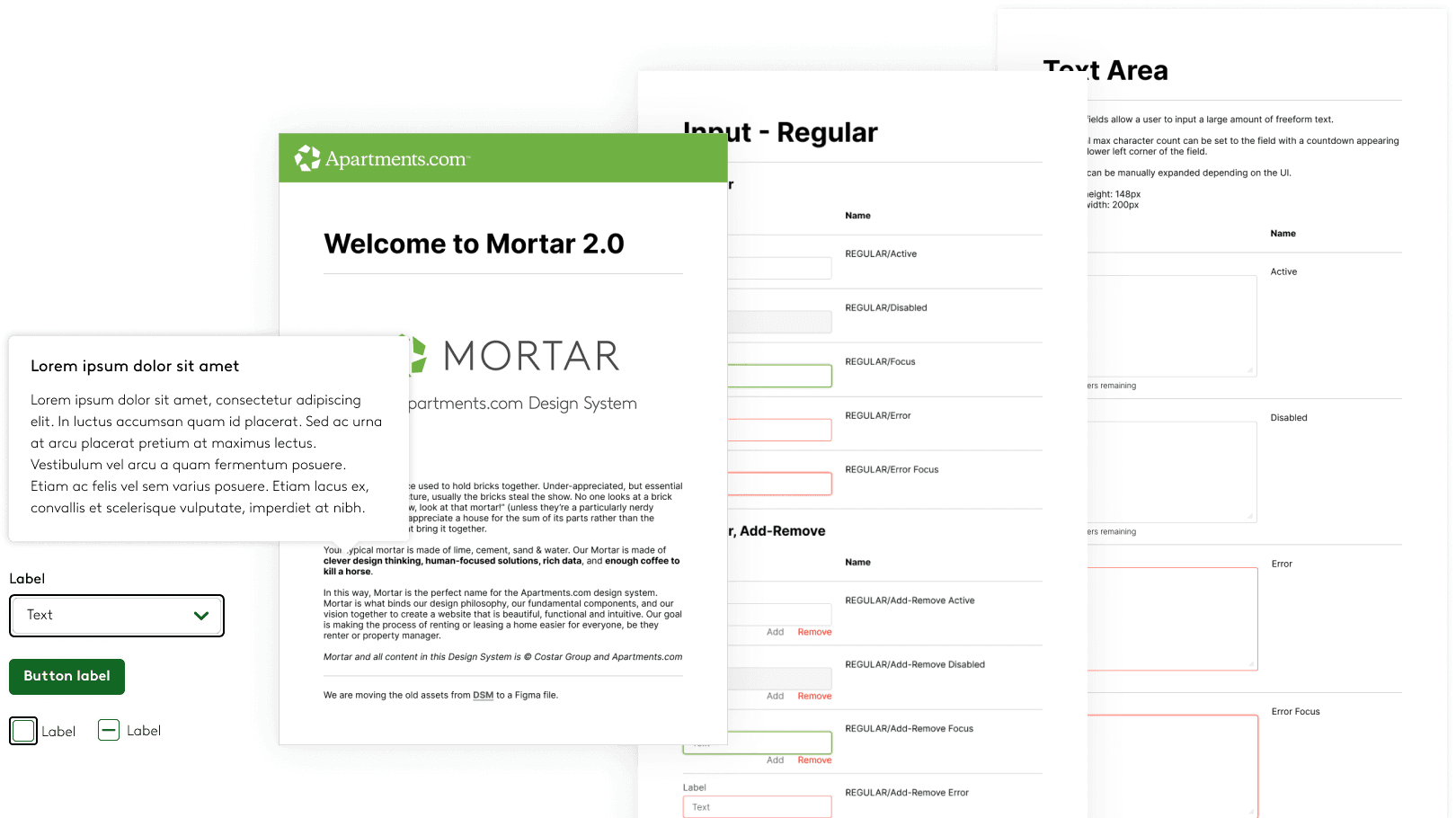
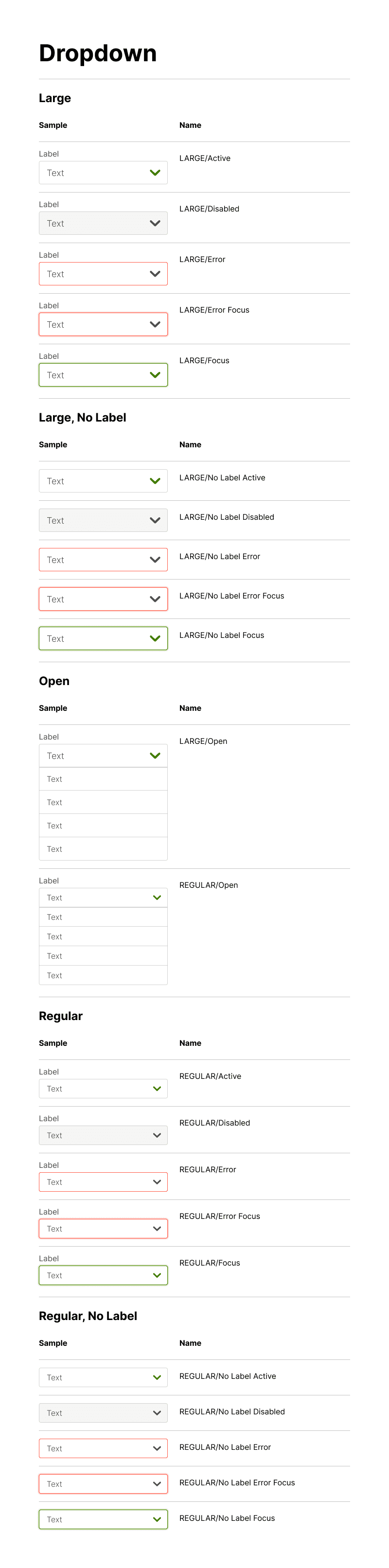
We started by rebuilding the core components such as buttons, dropdowns, pills, and form inputs, removing redundant variants. Every element was tested at multiple breakpoints for predictable behavior.
Improved team communication
Regular cross-team meetings helped surface friction points early. These sessions became a forum for designers to share edge cases and for developers to flag technical constraints. Mortar evolved into a living product that grew with its users rather than falling behind them.
Component & accessibility enhancements
Accessibility was treated as a feature, not a checklist.
We refined font weights for legibility, replaced inconsistent color tokens with verified contrast pairs, and added visible focus rings across components. The final pattern adopted a subtle 2px border system for clarity and keyboard navigation support.
Each component was tested for keyboard navigation and screen reader clarity, ensuring focus visibility and semantic structure.

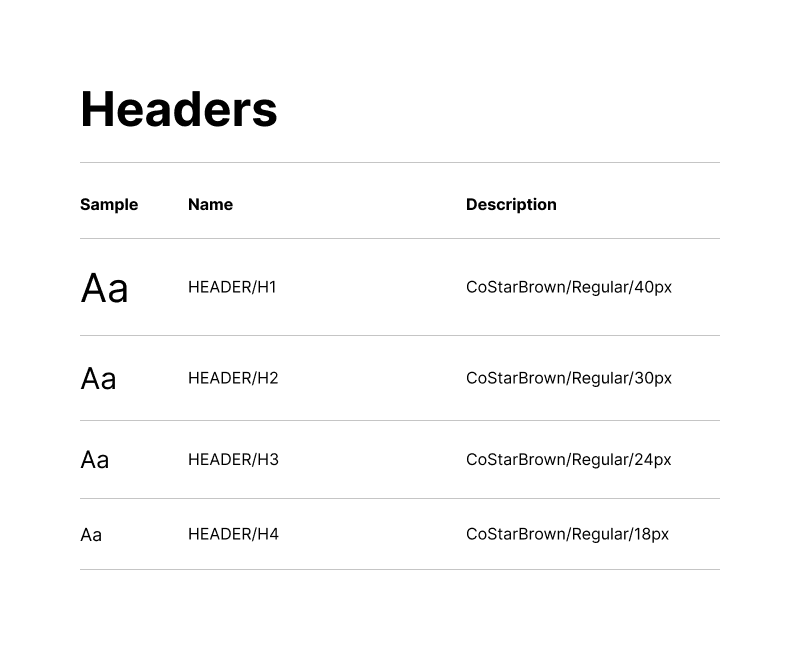
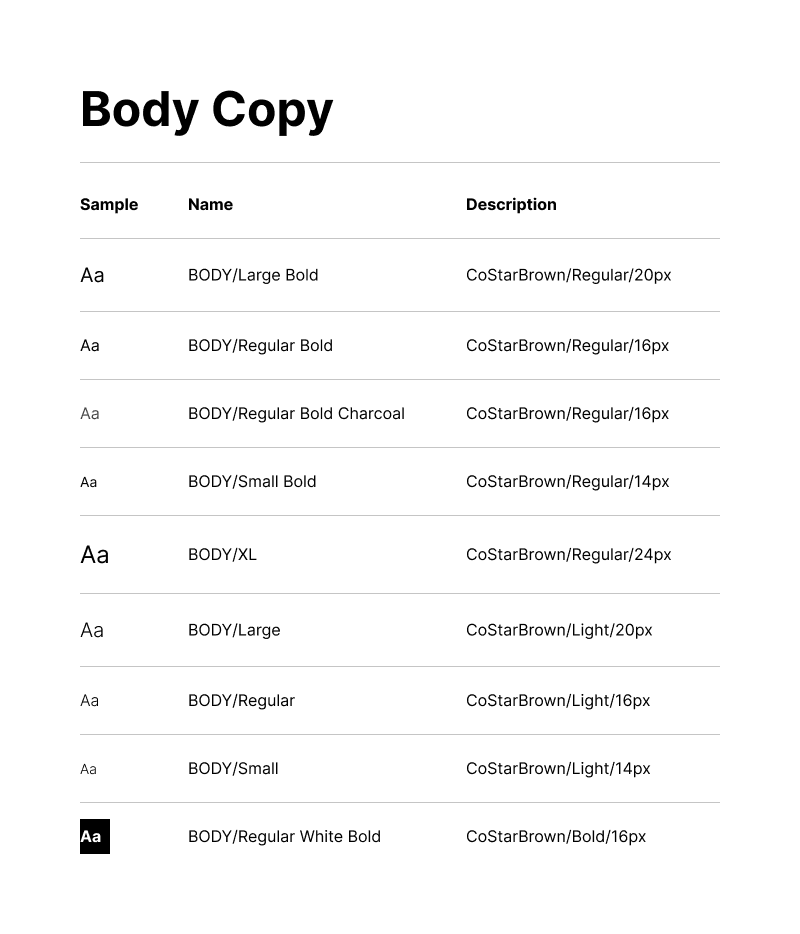
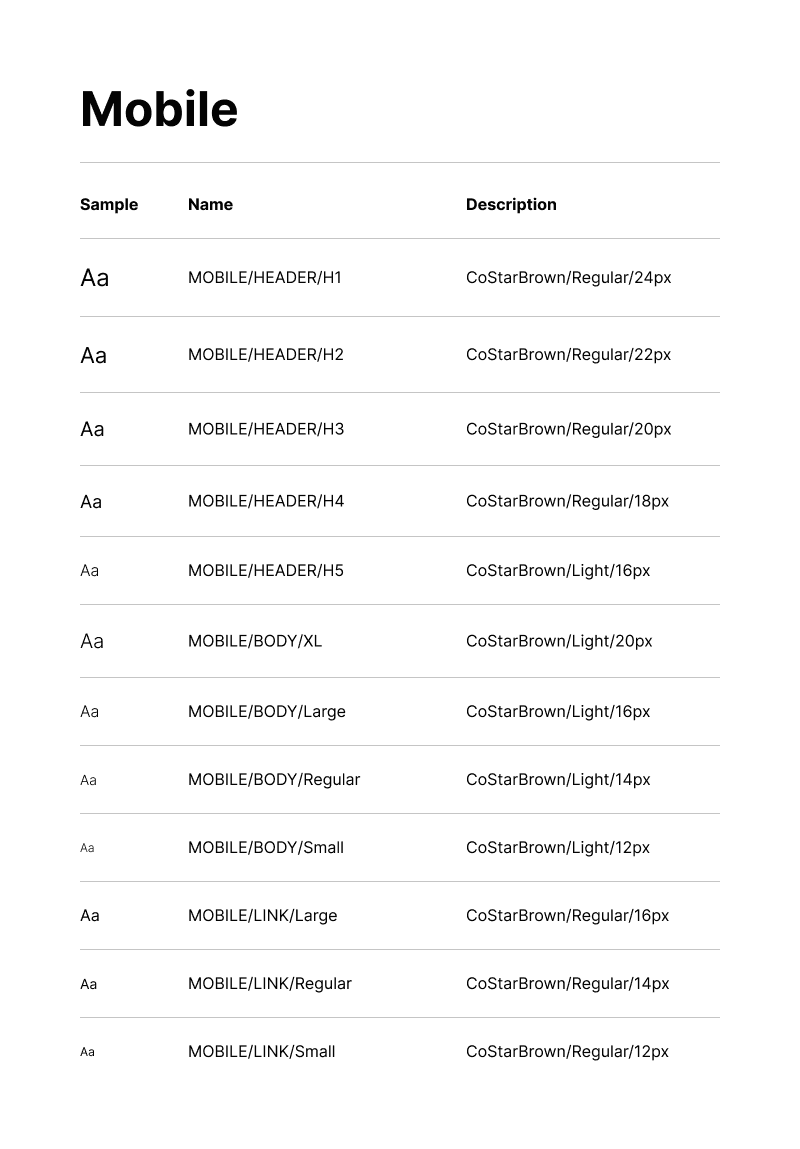
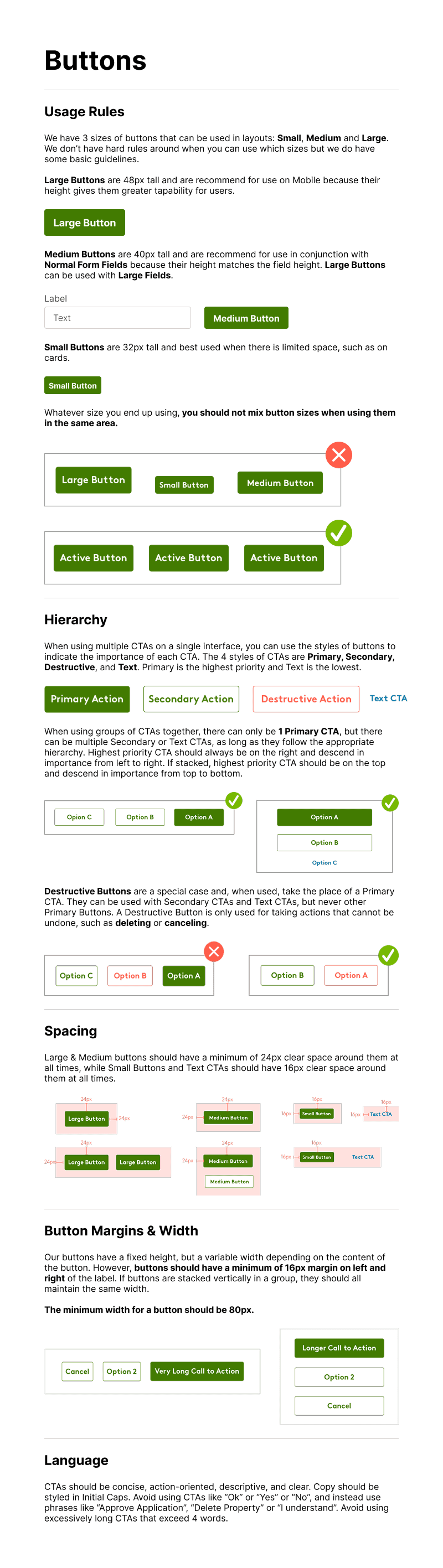
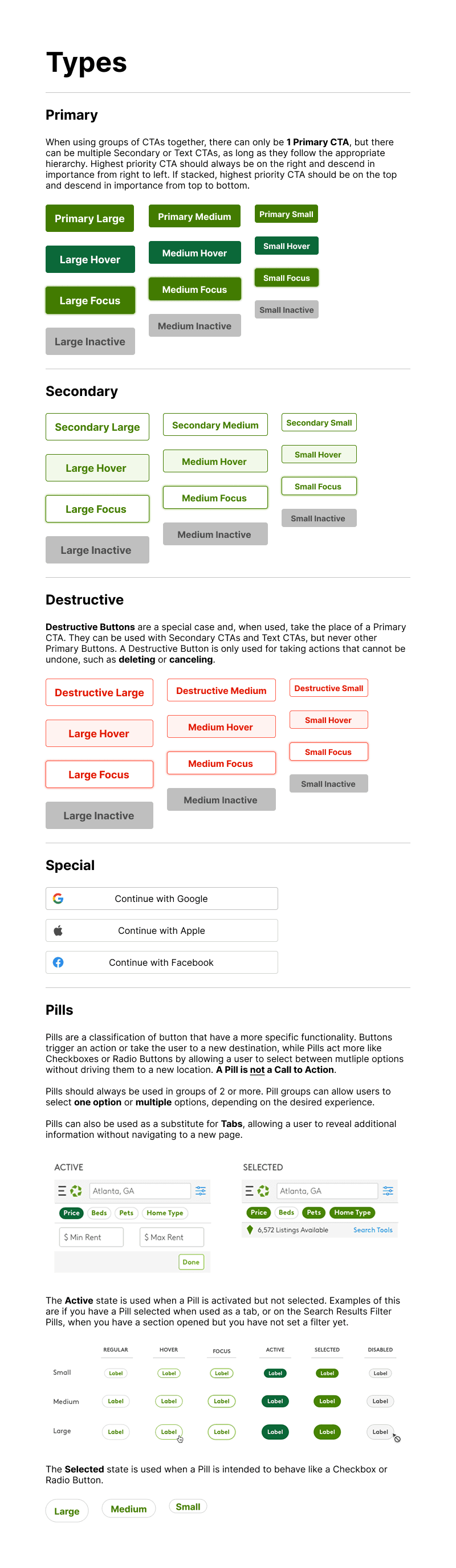
Guidelines and component samples
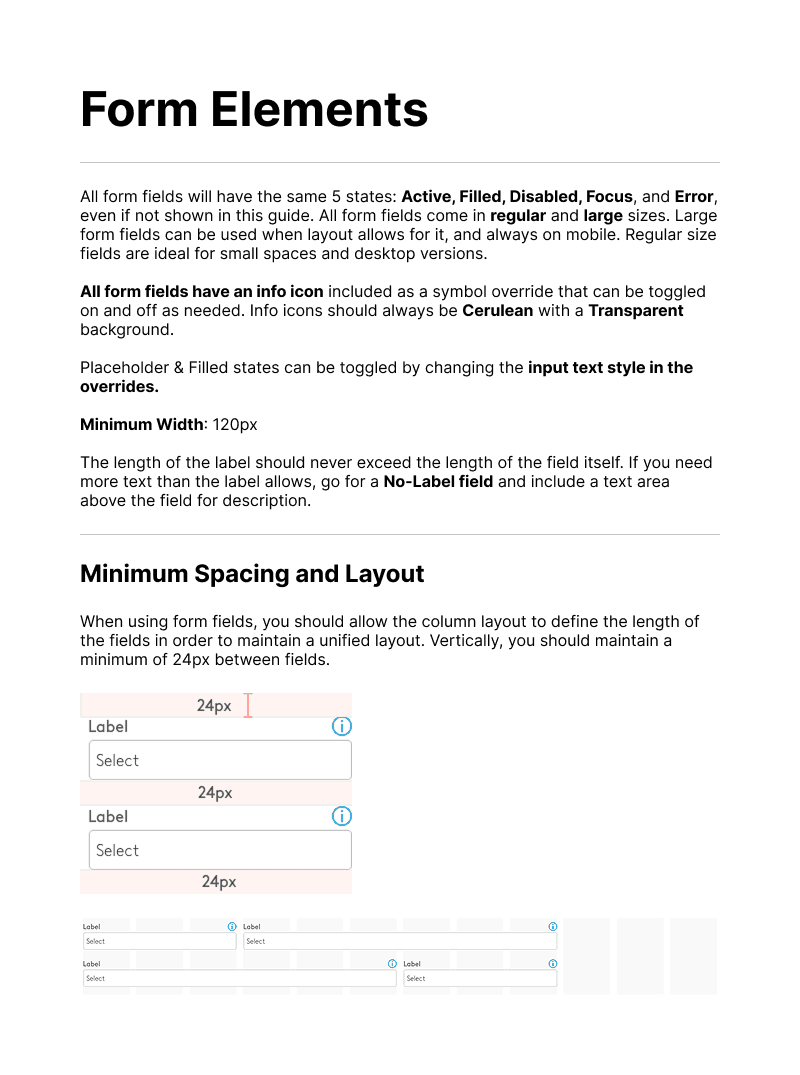
Proper documentation of all new and revised components was key in the design library clean up effort. The aim was to ensure the guidelines were not restrictively prescriptive while still guiding new designers in the right direction.
Foundations - Color & Typography

Buttons - Guidelines & Variants
Form Elements - Guidelines & Variants for Input and Dropdown

Conclusion
A design system is only as strong as the people who maintain it. By making Mortar easier to navigate and maintain, we gave teams more time to focus on meaningful design problems rather than workarounds.
More projects